
Intelligence Bureau MTS 2026 jobs/admit-card/">Admit Card Released: How to Download & Exam Details
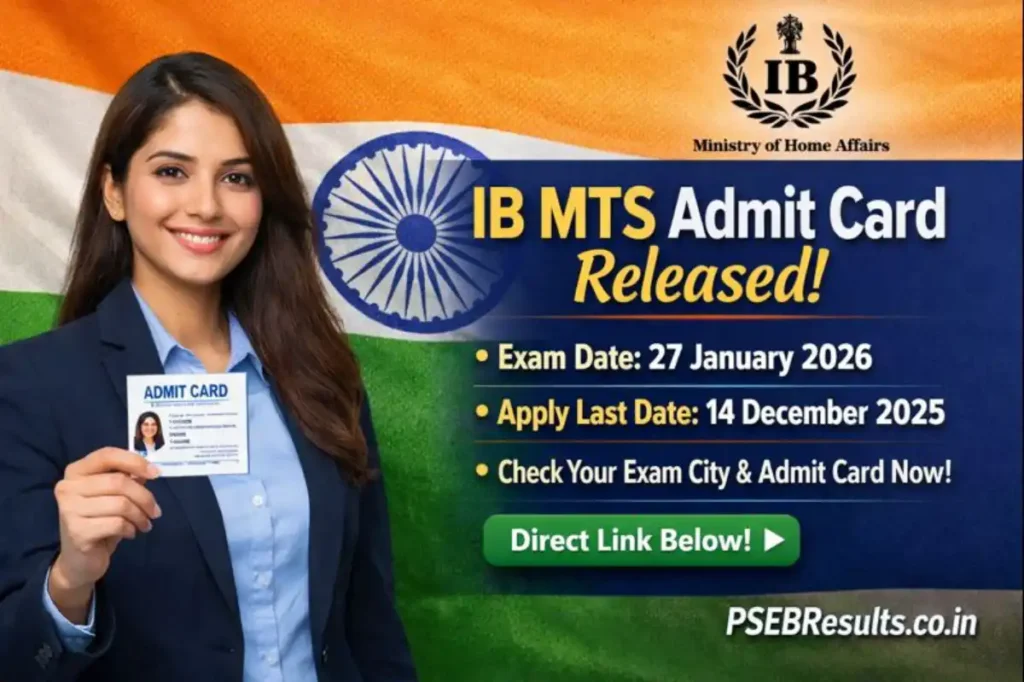
The Intelligence Bureau (IB), under the Ministry of Home Affairs, has released the admit card for the Multi Tasking Staff (MTS) recruitment exam 2026. This is a crucial document for candidates who applied for the MTS post. The exam is scheduled for 27 January 2026, and the admit card is now available on the official website. This article provides a detailed guide on how to download the admit card, eligibility criteria, important dates, and other essential information.
Students are advised to check the official website regularly for updates. The admit card contains vital details like exam date, time, center, and instructions for the examination day.
Overview of the Notification / Result / Job
| Detail | Information |
|---|---|
| Organization | Intelligence Bureau (IB), Ministry of Home Affairs |
| Post Name | Multi Tasking Staff (MTS) |
| Total Vacancies | 362 Posts |
| Exam Date | 27 January 2026 |
| Admit Card Release Date | 24 January 2026 |
| Official Website | https://www.mha.gov.in/notifications/vacancies |
Important Dates & Timeline
| Event | Date |
|---|---|
| Online Application Start Date | 22 November 2025 |
| Online Application Last Date | 14 December 2025 |
| Last Date to Pay Exam Fee | 14 December 2025 |
| Exam City Details Release | 08 January 2026 |
| Admit Card Release Date | 24 January 2026 |
| Exam Date | 27 January 2026 |
| Result Declaration Date | Will be updated soon |
Eligibility Criteria
| Criteria | Details |
|---|---|
| Educational Qualification | Candidates must have passed Class 10 from a government-recognized board or institution. |
| Age Limit (as on 14 December 2025) | Minimum Age: 18 Years Maximum Age: 25 Years Age relaxation is applicable as per IB rules. |
| Application Fee | General/OBC/EWS: Rs 650/- SC/ST: Rs 550/- Payment can be made via Debit Card, Credit Card, Internet Banking, IMPS, or Mobile Wallet. |
Application / Checking Process (Step-by-Step)
Follow these steps to download the IB MTS Admit Card 2026:
- Visit the Official Website: Go to the Ministry of Home Affairs (MHA) official website.
- Navigate to Recruitment Section: On the homepage, look for the “Recruitment,” “Admit Card,” or “Latest Updates” section.
- Find the Admit Card Notification: Locate the link for “IB MTS Admit Card 2026.”
- Login to Your Account: Click on the admit card link to open the candidate login page.
- Enter Login Details: Provide your Registration/Application Number and Date of Birth/Password as required.
- View and Download Admit Card: After submitting the details, your admit card will appear on the screen. Verify all details carefully.
- Save and Print: Download the admit card in PDF format and take a clear printout to carry to the examination center.
| Check This :- | Amazing Helpful Tool :SSC Online Tools – Photo, Eligibility, OTR, Admit Card & More |
| सरकारी नौकरी, रिज़ल्ट, एडमिट कार्ड और लेटेस्ट अपडेट – सब कुछ एक जगह: | https://hindi.psebresults.co.in/ |
Selection Process / Evaluation Method
The selection process for the IB MTS recruitment consists of the following stages:
| Stage | Details |
|---|---|
| Tier-I Written Exam | Objective-type exam to test basic knowledge and aptitude. |
| Tier-II Written Exam | Descriptive or skill-based test, depending on the post requirements. |
| Document Verification | Verification of original documents and eligibility criteria. |
| Medical Examination | Medical fitness test as per IB standards. |
Documents Required
| Document | Purpose |
|---|---|
| Admit Card | Mandatory for entry to the examination center. |
| Photo ID Proof (Aadhar Card, Voter ID, Passport, etc.) | For identity verification at the exam center. |
| Passport-sized Photographs | As per the specifications mentioned in the admit card. |
| Class 10 Marksheet/Certificate | To verify educational qualification during document verification. |
Salary / Benefits / Career Scope (if job-related)
The Multi Tasking Staff (MTS) in the Intelligence Bureau (IB) is a Group C non-gazetted post. As per official information, the salary structure and benefits are as follows:
- Pay Scale: Level-1 of the Pay Matrix (Rs 18,000 to Rs 56,900) as per the 7th Central Pay Commission.
- Allowances: Dearness Allowance (DA), House Rent Allowance (HRA), Transport Allowance, and other benefits as per government norms.
- Career Growth: Opportunities for promotions and career advancement based on performance and seniority.
- Job Security: Stable government job with pension benefits after retirement.
Important Rules & Guidelines
| Rule/Guideline | Details |
|---|---|
| Admit Card | Candidates must carry a printed copy of the admit card to the exam center. Digital copies are not accepted. |
| ID Proof | A valid photo ID proof (Aadhar Card, Voter ID, Passport, etc.) is mandatory for verification. |
| Reporting Time | Candidates must report to the exam center at least 90 minutes before the exam starts. |
| Prohibited Items | Electronic gadgets, calculators, study materials, and bags are not allowed inside the exam hall. |
| Dress Code | Candidates are advised to wear simple and comfortable clothing. Avoid wearing jewelry or accessories. |
Common Mistakes to Avoid
| Mistake | Solution |
|---|---|
| Not Checking Admit Card Details | Always verify your name, roll number, exam center, and other details on the admit card. Report discrepancies immediately. |
| Forgetting Login Credentials | Keep your Registration/Application Number and Date of Birth/Password safe and handy. |
| Late Reporting to Exam Center | Plan your travel in advance to reach the exam center on time. |
| Carrying Prohibited Items | Read the exam instructions carefully and avoid carrying banned items to the exam hall. |
| Not Reading Instructions | Go through all the instructions mentioned on the admit card and official website thoroughly. |
Who Should Apply / Check This?
This notification is relevant for the following candidates:
- Students who applied for the IB MTS recruitment 2025 and are awaiting their admit card.
- Candidates who have completed Class 10 and are looking for government job opportunities.
- Individuals interested in a career in the Intelligence Bureau and seeking a stable government job.
- Those who want to verify their exam center details and download their admit card before the exam date.
How to Use the Official Website
| Step | Action |
|---|---|
| Step 1: Visit the Website | Open your browser and go to https://www.mha.gov.in/notifications/vacancies. |
| Step 2: Navigate to Recruitment Section | On the homepage, look for the “Recruitment” or “Vacancies” tab in the menu bar. |
| Step 3: Find the Latest Updates | Scroll down to the “Latest Updates” section to find the link for “IB MTS Admit Card 2026.” |
| Step 4: Click on the Admit Card Link | Click on the link to open the candidate login page. |
| Step 5: Enter Login Details | Provide your Registration/Application Number and Date of Birth/Password to log in. |
| Step 6: Download Admit Card | After logging in, your admit card will appear on the screen. Download and print it. |
| Step 7: Check for Updates | Regularly visit the website for updates on exam results, answer keys, and other notifications. |
Official Links & Verification
Here are the official links for the IB MTS Admit Card 2026 and related information:
- Download Admit Card: Click Here
- Check Exam City Details: Click Here
- Apply Online (if applicable): Click Here
- Official Notification: Click Here
- IB Official Website: Click Here
Intelligence Bureau (IB) MTS Recruitment FAQ
Frequently Asked Questions about the Multi Tasking Staff (MTS) post recruitment by the Intelligence Bureau, Ministry of Home Affairs. Exam Date: 27 January 2026
Exam Date
27 January 2026
Application Deadline
14 December 2025
Admit Card Status
Released
The exam for the Multi Tasking Staff (MTS) post will be conducted on 27 January 2026.
The last date to submit the application form was 14 December 2025.
You can download your admit card from the official Intelligence Bureau website using your Enrollment Number, Registration Number, or Date of Birth.
You need your Enrollment Number, Registration Number, or Date of Birth to check exam city details on the SarkariExam2026 portal.
Direct links are provided on the official Intelligence Bureau website and the SarkariExam2026 portal. Links are typically available in the candidate login section.
The Intelligence Bureau (IB), under the Ministry of Home Affairs, has released the admit card for MTS recruitment.
The recruitment is for the Multi Tasking Staff (MTS) post in the Intelligence Bureau.
Yes, you can also use your Enrollment Number or Date of Birth if you don’t have your Registration Number.
SarkariExam2026 is the official portal where candidates can check exam details, download admit cards, and get updates about the IB MTS recruitment process.
If you face any issues, contact the helpdesk or support provided on the official Intelligence Bureau website or the SarkariExam2026 portal for assistance.
Important Information
Candidates can check all details on the official SarkariExam2026 portal for Exam City / Admit Card using their Enrollment Number, Registration Number, or Date of Birth by logging into the portal. The direct link is provided below.
Disclaimer
The information provided in this article is based on official notifications and updates available as of 24 January 2026. Candidates are advised to verify all details on the official website of the Intelligence Bureau (IB) or Ministry of Home Affairs (MHA). The author and publisher are not responsible for any errors or omissions in the content. Details such as exam dates, admit card release dates, and selection processes may change as per official announcements. Always refer to the latest updates from the official portal.
Related Job Updates
- GSSSB Recruitment 2026: Apply for 5370 Group A & B Posts | Online Form Opens 5th Feb
- HESCOM Recruitment 2026: 388 Apprentice Posts for ITI, Apply Online
Latest Job Posts
- BOB:Bank of Baroda WMS Recruitment 2026: 104 Vacancies for Deputy Manager, AVP Posts
- UPSSSC AGTA Notification 2026: 2759 Posts, Eligibility & Apply Link
- BSNL SET 2026 Notification: Apply for 120 Senior Executive Trainee Posts
- HEF Khadki Recruitment 2026 – Engineer & AOCP Posts (Tenure Basis)
- SSB Head Constable & Nursing Assistant Recruitment 2026 Notification (76 Posts)
Important Sections:
All Jobs | Admit Cards | Results | Answer Keys | Homepage